How to Convert a YouTube Video to a LinkedIn Carousel with AI
Paste a YouTube URL and use AI to turn the strongest ideas from the video into a LinkedIn carousel draft.
 AI PowerPoint Generator
Need a presentation without starting from scratch?
Instead of staring at a blank slide for hours, let our AI generate a full, beautifully formatted PowerPoint deck for you in seconds.
How to use AI to convert a YouTube video to a LinkedIn carousel in 3 steps
Repurpose video content into a carousel draft your LinkedIn audience can scan, save, and share.
Enter URL
Paste the YouTube video URL you want to repurpose.
YouTube
AI extracts the key ideas, lessons, or framework from the video.
Download Result
Generate an editable LinkedIn carousel draft from the video summary.
How the YouTube to LinkedIn Carousel tool works
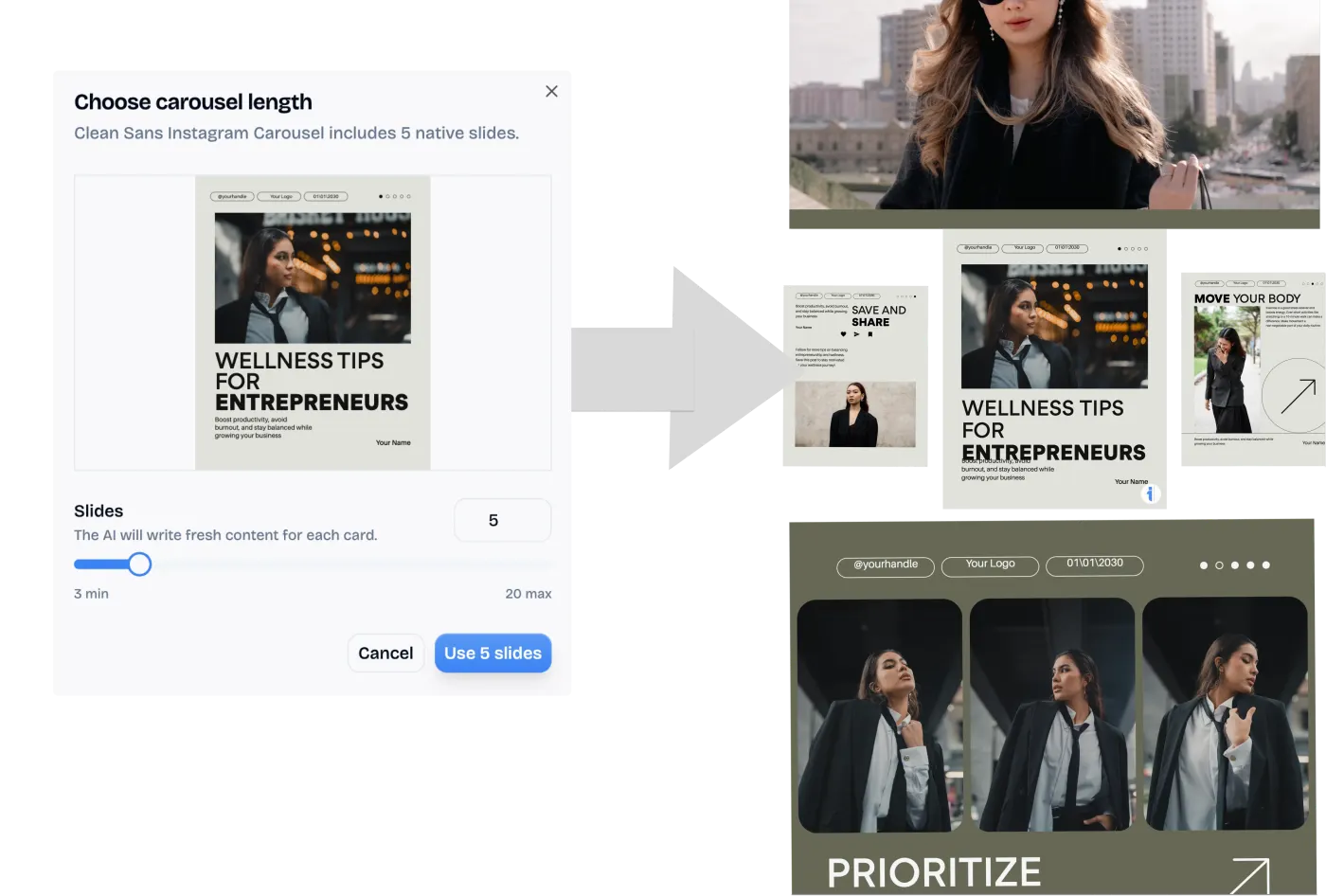
A YouTube video can contain ten good LinkedIn posts, but manually finding the best moments and rewriting them takes time. A carousel gives the video a second life by turning the core lesson, framework, or argument into a scannable sequence of slides.
This YouTube to LinkedIn carousel tool analyzes the video source, extracts the main concepts, and converts them into a carousel-ready prompt. It is built for webinars, tutorials, interviews, podcast clips, founder videos, and educational content.
Best ways to repurpose YouTube videos into LinkedIn carousels
Repurpose webinars
Turn a long webinar into a concise carousel recap with the strongest points.
Summarize tutorials
Convert educational videos into step-by-step carousel slides.
Create founder content
Pull key ideas from founder videos into LinkedIn posts that are easier to scan.
Who should use a YouTube to LinkedIn Carousel converter?
Repurpose YouTube videos into LinkedIn carousel posts without manually rewriting the transcript.
Processing Engine Stats
Lightning-fast processing for massive documents
Whether you're handling a single page or a massive deck, our dedicated infrastructure ensures reliable, instant results for all your processing needs.
<13s
Avg. processing time
99%
Layout accuracy
631+
Pages supported
37K+
Files processed
See why users choose us to use our YouTube to LinkedIn Carousel tool
 InfoBlog
Why use our YouTube to LinkedIn Carousel tool?
YouTube URL analysis
Carousel-ready summaries
Works for tutorials, webinars, and interviews
Files are automatically deleted after processing.

Editable slide copy
No hidden subscriptions
Designed for LinkedIn distribution
Start processing your files immediately. We've removed all friction so you can get your work done faster.
Universal Access
Works beautifully on any device or operating system.
Frequently Asked Questions about YouTube to LinkedIn Carousel
Does the video need captions?
The tool works best when a video has captions or transcript data available.
Can I use this for podcast videos?
Yes. Interview and podcast-style videos often make strong carousel source material.
Is YouTube to LinkedIn Carousel secure to use?
Yes, absolutely. We prioritize your privacy and security. Any files uploaded for processing are automatically and permanently deleted from our servers shortly after your session ends. We do not store, share, or analyze your personal documents.
Do I need to download or install any software to use this tool?
No, YouTube to LinkedIn Carousel is entirely cloud-based. You can access and use all of its features directly from your web browser on any device, without needing to install complicated software or browser extensions.
Can I use YouTube to LinkedIn Carousel on my mobile phone or tablet?
Yes! Our platform is fully responsive and optimized for mobile devices. Whether you are on an iPhone, iPad, or Android device, you can use the tool seamlessly on the go.
Is there a limit on the file size I can upload?
Currently, we support processing files up to 200MB in size. This accommodates the vast majority of standard presentations and documents. If your file is larger, we recommend compressing it before using the tool.
