Compress PowerPoint Online for Free
Is your PowerPoint too large to email or share? Upload your .pptx file and our intelligent compression engine will significantly reduce its file size by optimizing embedded images, removing hidden metadata, and trimming unnecessary data — all while preserving the visible quality of your slides.


Drag & drop your file here
or click to browse
AI PowerPoint GeneratorNeed a presentation without starting from scratch?
Instead of staring at a blank slide for hours, let our AI generate a full, beautifully formatted PowerPoint deck for you in seconds.
How to compress PowerPoint in 3 steps
Three simple steps to get your result instantly.
Upload Document
Upload your PowerPoint file. Processed locally in your browser for 100% privacy.
Compress
Our engine optimizes images and removes bloat. Our engine instantly analyzes and optimizes your document.
Download Result
Download your compressed, smaller PPTX file. Get your results instantly with no watermarks.
How to compress PowerPoint
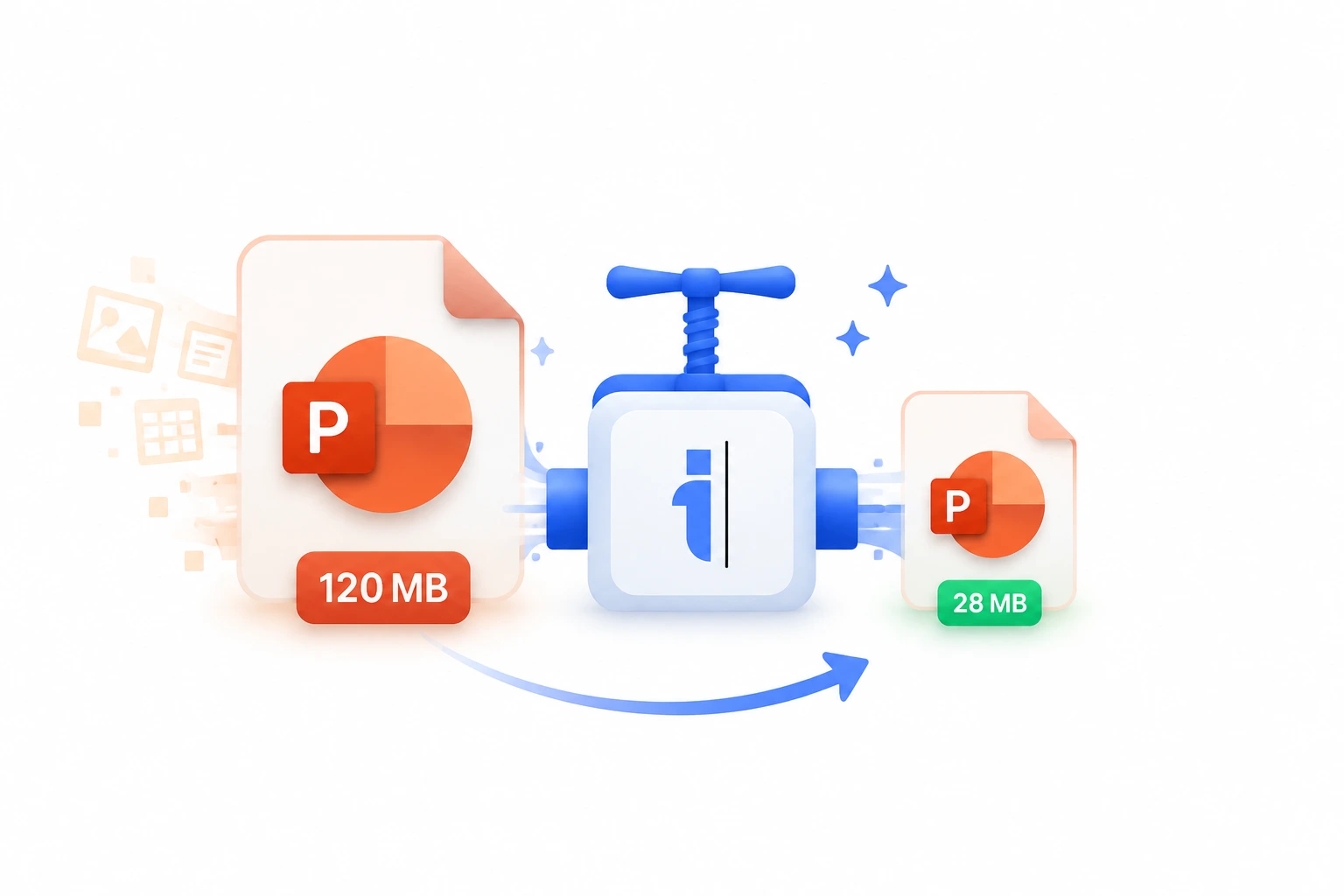
A common frustration in the corporate world is attempting to email a beautifully designed PowerPoint presentation, only to be hit with a 'File Too Large' error. Presentations quickly balloon in size when they contain high-resolution stock photos, uncompressed graphics, and embedded fonts. Our Compress PowerPoint tool solves this instantly. It uses an advanced compression algorithm that acts like a diet for your .pptx files, intelligently scaling down oversized images and stripping out invisible metadata without affecting the visual fidelity of your slides.
Whether you need to shrink a 50MB marketing deck down to a 5MB email attachment or you want to optimize a massive archive of presentations to save on cloud storage costs, this tool handles it effortlessly. It ensures that your transitions, animations, and layouts remain perfectly intact while dramatically reducing the file's footprint, making sharing and collaborating faster than ever.
Top Use Cases for our Compress PowerPoint tool
Email Delivery
Reduce a presentation from 45MB down to 8MB so it can be sent via Gmail or Outlook without relying on third-party file sharing links.
Website Uploads
Compress slide decks before uploading them as downloadable resources on your company website, ensuring fast download speeds for visitors.
LMS Optimization
Ensure that e-learning modules load quickly for remote students on slower internet connections by compressing the source PowerPoint files.
Who is our Compress PowerPoint tool for?
Shrink heavy, image-laden pitch decks so they can easily bypass strict corporate email attachment limits when sending to prospects.
Processing Engine Stats
Enterprise-grade convert performance
Experience rapid turnaround times with the majority of presentations completing in mere seconds, regardless of size or complexity. By leveraging an advanced cloud-based architecture, our system handles rendering, asset extraction, and final formatting concurrently—delivering premium results without the wait.
<21s
Avg. processing time
98%
Layout accuracy
244+
Pages supported
15K+
Files processed
See why users choose us to compress PowerPoint
 InfoBlog
Why use our tool to compress PowerPoint?
Reduces file size by up to 80%
Optimizes embedded images without visible quality loss
Removes hidden metadata and unused slide masters
Files are automatically deleted after processing.

Preserves all animations, transitions, and formatting
No hidden subscriptions
No sign-up required
Start processing your files immediately. We've removed all friction so you can get your work done faster.
Universal Access
Works beautifully on any device or operating system.
Frequently Asked Questions about Compress PowerPoint
Will compressing affect my slide quality?
No. Our intelligent compression targets redundant data and optimizes images at a level that is imperceptible to the human eye. Your slides will look identical.
How much smaller will my file be?
Results vary based on the content. Files with many high-resolution images typically see 50-80% size reduction.
Is Compress PowerPoint secure to use?
Yes, absolutely. We prioritize your privacy and security. Any files uploaded for processing are automatically and permanently deleted from our servers shortly after your session ends. We do not store, share, or analyze your personal documents.
Do I need to download or install any software to use this tool?
No, Compress PowerPoint is entirely cloud-based. You can access and use all of its features directly from your web browser on any device, without needing to install complicated software or browser extensions.
Can I use Compress PowerPoint on my mobile phone or tablet?
Yes! Our platform is fully responsive and optimized for mobile devices. Whether you are on an iPhone, iPad, or Android device, you can use the tool seamlessly on the go.
Is there a limit on the file size I can upload?
Currently, we support processing files up to 200MB in size. This accommodates the vast majority of standard presentations and documents. If your file is larger, we recommend compressing it before using the tool.
