Convert PowerPoint to HTML Online for Free
Need to know how to save PowerPoint as HTML? Transform a PowerPoint presentation into HTML so slides can be viewed, embedded, or archived as web-friendly content. If you want a more modern approach, check out our <a href="/tools/convert-powerpoint-to-website" class="text-primary hover:underline">Convert PowerPoint to Website</a> tool.


Drag & drop your file here
or click to browse
AI PowerPoint GeneratorNeed a presentation without starting from scratch?
Instead of staring at a blank slide for hours, let our AI generate a full, beautifully formatted PowerPoint deck for you in seconds.
How to convert PowerPoint to HTML in 3 steps
Three simple steps to get your result instantly.
Upload Document
Upload your PowerPoint (.ppt or .pptx) file. Processed locally in your browser for 100% privacy.
Convert
The converter prepares the HTML export. Our engine instantly analyzes and optimizes your document.
Download Result
Download the converted file. Get your results instantly with no watermarks.
How to convert PowerPoint to HTML
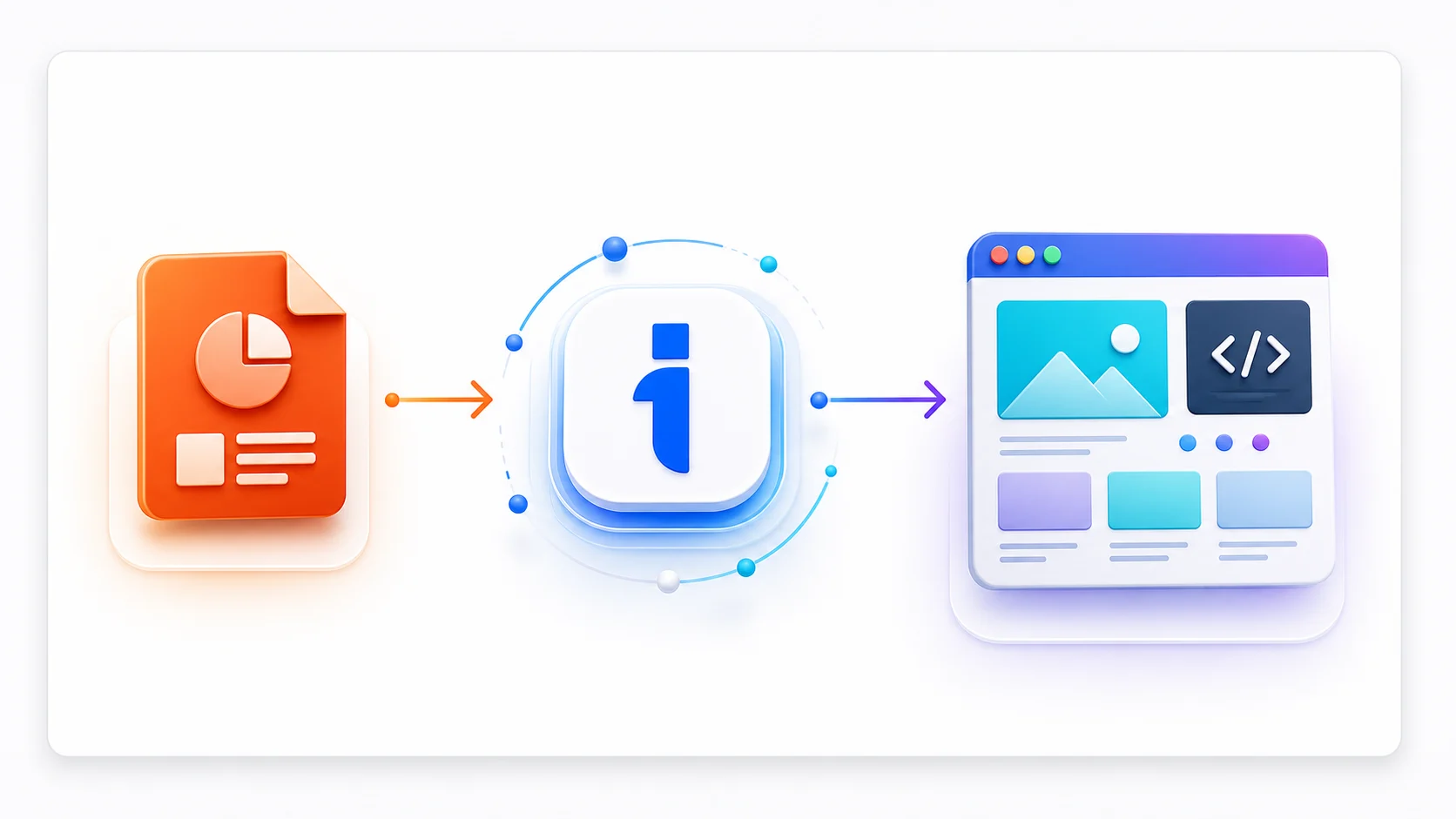
PowerPoint files are excellent for editing, but they are not always the best format for sharing, archiving, publishing, or importing into another workflow. This free convert powerpoint to html tool helps you turn an existing presentation into HTML without rebuilding the deck slide by slide.
Upload your presentation, let the converter prepare the export, and download a cleaner format for web viewing, internal documentation, help centers, and online course material. It is useful when you need a fast format change for client delivery, content repurposing, web publishing, documentation, or compatibility with older presentation software.
Top Use Cases for our PowerPoint to HTML converter
Client Delivery
Export a presentation into HTML when the recipient does not need the editable PowerPoint source file.
Content Repurposing
Turn a deck into assets that can be reused in blog posts, documentation, social posts, or internal knowledge bases.
Format Compatibility
Create a different presentation or document format when a team, LMS, CMS, or older app requires it.
Who is our PowerPoint to HTML converter for?
Convert finished PowerPoint decks into HTML for faster handoff, publishing, or reuse.
Processing Engine Stats
Secure and rapid convert operations
Whether you're handling a single page or a massive deck, our dedicated infrastructure ensures reliable, instant results for all your conversion needs.
<19s
Avg. processing time
98%
Layout accuracy
260+
Pages supported
38K+
Files processed
See why users choose us to convert PowerPoint to HTML
 InfoBlog
Why use our PowerPoint to HTML converter?
Fast PowerPoint format conversion
Preserves slide structure and visual content where supported
Works directly from your browser
Files are automatically deleted after processing.

No design rebuild required
No hidden subscriptions
Free to use
Start processing your files immediately. We've removed all friction so you can get your work done faster.
Universal Access
Works beautifully on any device or operating system.
Frequently Asked Questions about Convert PowerPoint to HTML
Can I convert large presentations to HTML?
Yes. You can upload presentations up to 200 MB, though very large decks may take longer to process.
Will the converted file look exactly like my PowerPoint?
The converter is designed to preserve layout, images, and slide structure as closely as the target format allows. Some interactive features, animations, or transitions may be flattened during export.
Is Convert PowerPoint to HTML secure to use?
Yes, absolutely. We prioritize your privacy and security. Any files uploaded for processing are automatically and permanently deleted from our servers shortly after your session ends. We do not store, share, or analyze your personal documents.
Do I need to download or install any software to use this tool?
No, Convert PowerPoint to HTML is entirely cloud-based. You can access and use all of its features directly from your web browser on any device, without needing to install complicated software or browser extensions.
Can I use Convert PowerPoint to HTML on my mobile phone or tablet?
Yes! Our platform is fully responsive and optimized for mobile devices. Whether you are on an iPhone, iPad, or Android device, you can use the tool seamlessly on the go.
Is there a limit on the file size I can upload?
Currently, we support processing files up to 200MB in size. This accommodates the vast majority of standard presentations and documents. If your file is larger, we recommend compressing it before using the tool.
