Password Protect Your PowerPoint Files
Keep your confidential presentations safe from unauthorized access. Upload your .pptx file, set a strong password, and our secure encryption engine will instantly lock your document.



Drag & drop your file here
or click to browse
AI PowerPoint GeneratorNeed a presentation without starting from scratch?
Instead of staring at a blank slide for hours, let our AI generate a full, beautifully formatted PowerPoint deck for you in seconds.
How to add Password to PowerPoint in 3 steps
Three simple steps to get your result instantly.
Upload Document
Upload your PowerPoint (.pptx) file. Processed locally in your browser for 100% privacy.
Add
Type a secure password to lock the presentation. Our engine instantly analyzes and optimizes your document.
Download Result
Download your encrypted, password-protected file. Get your results instantly with no watermarks.
How to add Password to PowerPoint
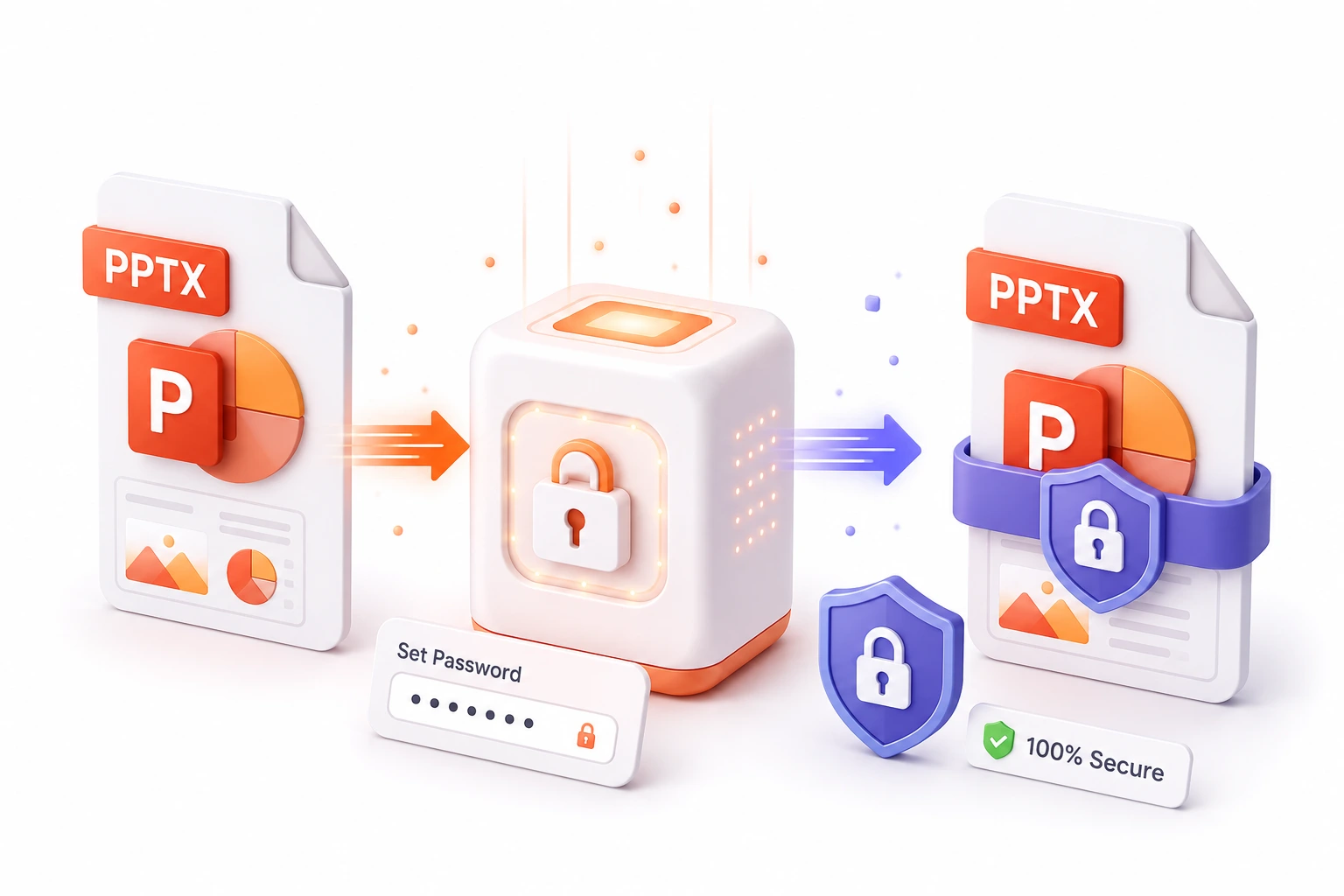
When sharing sensitive financial data, upcoming product roadmaps, or confidential corporate strategies, simply emailing a PowerPoint file is a massive security risk. If that email is forwarded or intercepted, anyone can open and view your intellectual property. Our Add Password to PowerPoint tool solves this by applying strict encryption directly to your presentation.
By leveraging enterprise-grade security protocols, our tool permanently locks your .pptx file so that it cannot be opened or viewed without the exact password you define. We process your files securely in the cloud using our zero-retention policy—meaning your presentation and your password are automatically deleted from our servers the second the encryption is complete. Ensure your private data stays private, no matter where the file goes.
Top Use Cases for our Add Password to PowerPoint tool
Client Proposals
Send secure, encrypted proposals to clients, ensuring that only the intended recipient can view your pricing and strategy.
Internal Distribution
Share sensitive HR or financial presentations across the company network securely, preventing unauthorized employees from opening them.
Intellectual Property
Protect your original research, designs, and methodologies before uploading them to shared cloud drives.
Who is our Add Password to PowerPoint tool for?
Secure quarterly earnings reports and M&A pitch decks before distributing them to external stakeholders.
Processing Engine Stats
Enterprise-grade utility performance
Whether you're handling a single page or a massive deck, our dedicated infrastructure ensures reliable, instant results for all your protection needs.
<20s
Avg. processing time
96%
Layout accuracy
440+
Pages supported
24K+
Files processed
See why users choose us to add Password to PowerPoint
 InfoBlog
Why use our tool to add Password to PowerPoint?
Instant file encryption
Secure zero-retention processing
Requires no installed software
Files are automatically deleted after processing.

Compatible with all modern PowerPoint versions
No hidden subscriptions
Completely free to use
Start processing your files immediately. We've removed all friction so you can get your work done faster.
Universal Access
Works beautifully on any device or operating system.
Frequently Asked Questions about Add Password to PowerPoint
Can the password be removed later?
Yes, but you or the recipient will need to know the password to open the file in PowerPoint first, where you can then disable the password protection.
Do you store my password or file?
Absolutely not. Your file is processed securely in memory and both the file and your password are deleted immediately after encryption.
Is Add Password to PowerPoint secure to use?
Yes, absolutely. We prioritize your privacy and security. Any files uploaded for processing are automatically and permanently deleted from our servers shortly after your session ends. We do not store, share, or analyze your personal documents.
Do I need to download or install any software to use this tool?
No, Add Password to PowerPoint is entirely cloud-based. You can access and use all of its features directly from your web browser on any device, without needing to install complicated software or browser extensions.
Can I use Add Password to PowerPoint on my mobile phone or tablet?
Yes! Our platform is fully responsive and optimized for mobile devices. Whether you are on an iPhone, iPad, or Android device, you can use the tool seamlessly on the go.
Is there a limit on the file size I can upload?
Currently, we support processing files up to 200MB in size. This accommodates the vast majority of standard presentations and documents. If your file is larger, we recommend compressing it before using the tool.
